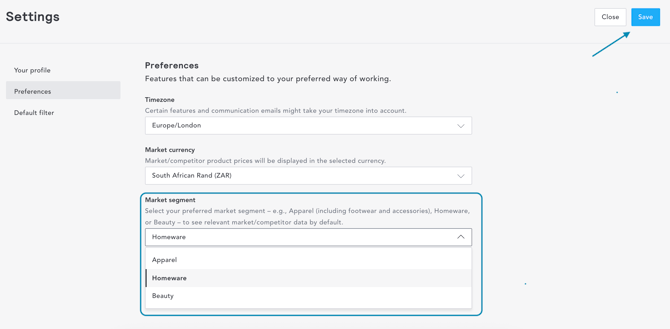
If you have access to more than one vertical, you'll need to run analysis in one vertical at a time. For example, I may create an analysis looking at my Homeware competitors, then run the same analysis for Beauty competitors. It's not possible to combine Home and Beauty analysis in one dashboard.
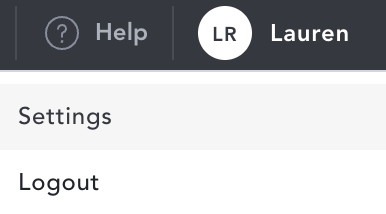
To change your vertical, from anywhere in myEDITED, you can select your name in the top right-hand corner of your screen and select 'Settings'
When in your settings page, toggle to 'Preferences' where you can select either Apparel, Homeware or Beauty. Once you've selected the relevant vertical, select 'save' to ensure this is updated when you navigate through the platform.