
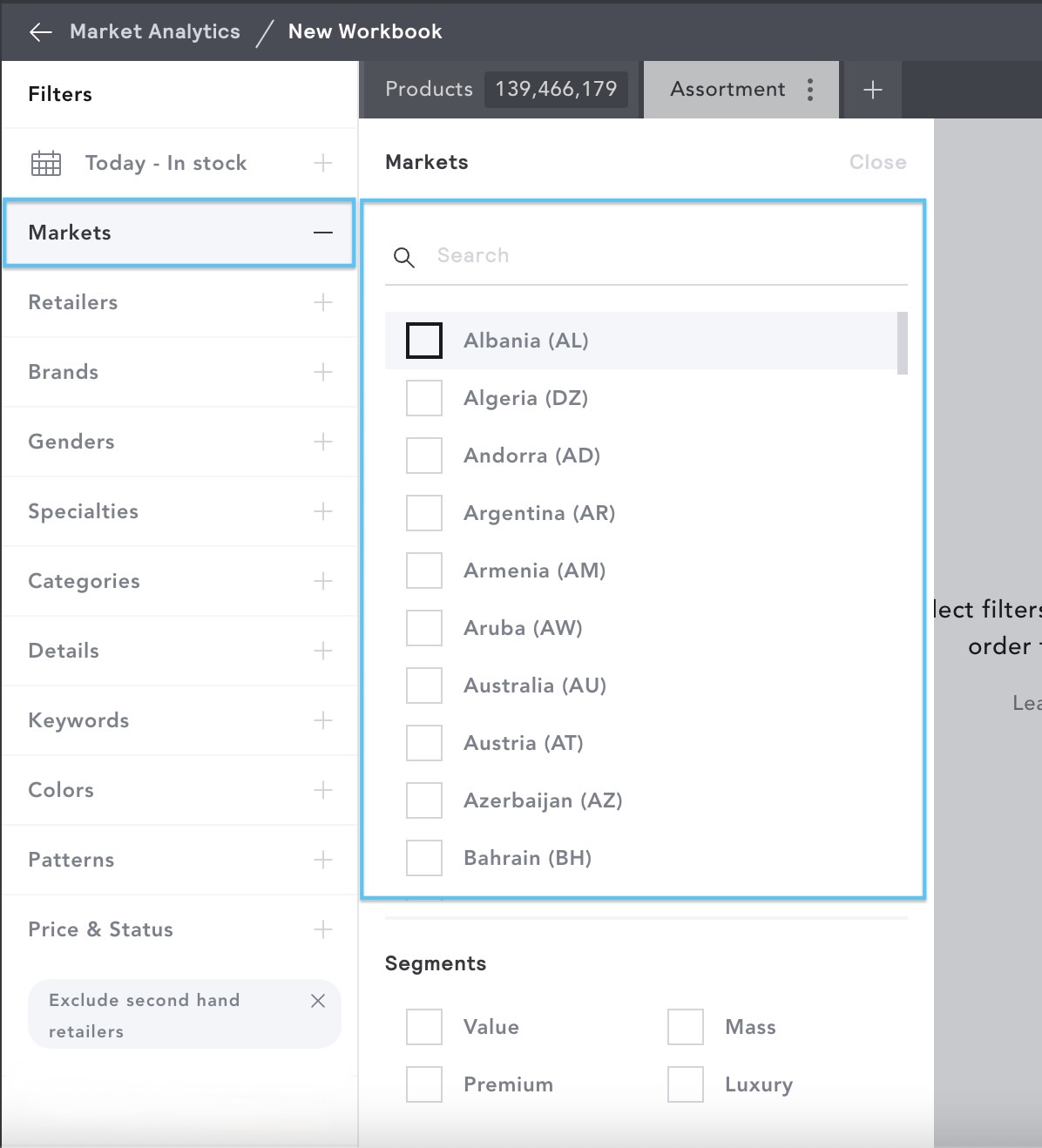
Use the Markets filter to select specific Regions or Market Segments to analyze.
Regions
- Use the checkboxes to select specific region/s to analyze.
- Type the name of a country or the country code into the search bar, and the list will be refined to match your search.
- You can select as many Regions as you’d like.
Why are some retailers grouped under a regional market rather than a specific country?
EDITED tracks retailers based on the storefront and data source available. Some retailers allow customers to select a shipping destination, such as France, Spain, or Germany, while continuing to use the same regional storefront. When the assortment, pricing, and retailer data are shared across multiple countries, the retailer is grouped under a regional market rather than a country-specific market.
Customers can select different shipping destinations through the site's Regional Preferences settings, such as France or Spain. However, in this below example the site URL remains /shop/eu, and the retailer data comes from the exact same European storefront.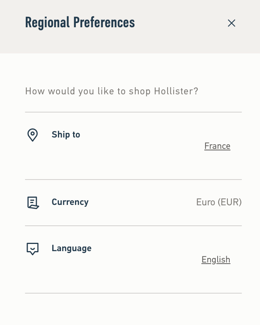
As there is no separate country-specific storefront or dataset available for analysis, this retailer is classified under EU Region rather than individual country markets such as FR or ES.
Where a retailer operates separate country-specific storefronts with distinct assortments, pricing, or retailer data, they may be classified under the relevant country market instead.
Market Segment
- Use the checkboxes to select specific market segments to analyze.
- All EDITED tracked retailers are defined as Value, Mass, Premium or Luxury.
- You can select as many Market Segments as you’d like.
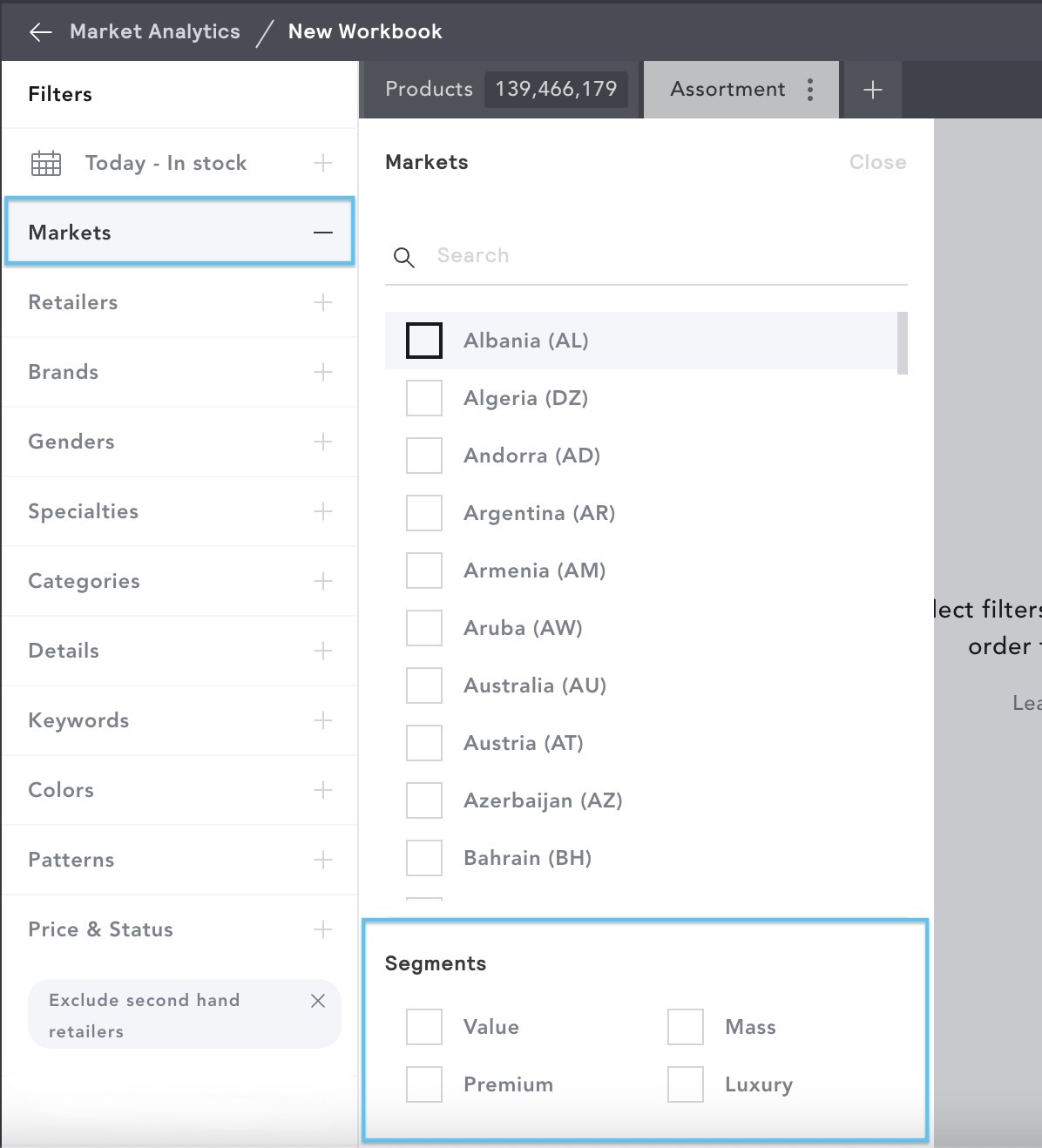
- Once you have selected your regions and segments, click Close at the top right to close the filter panel.
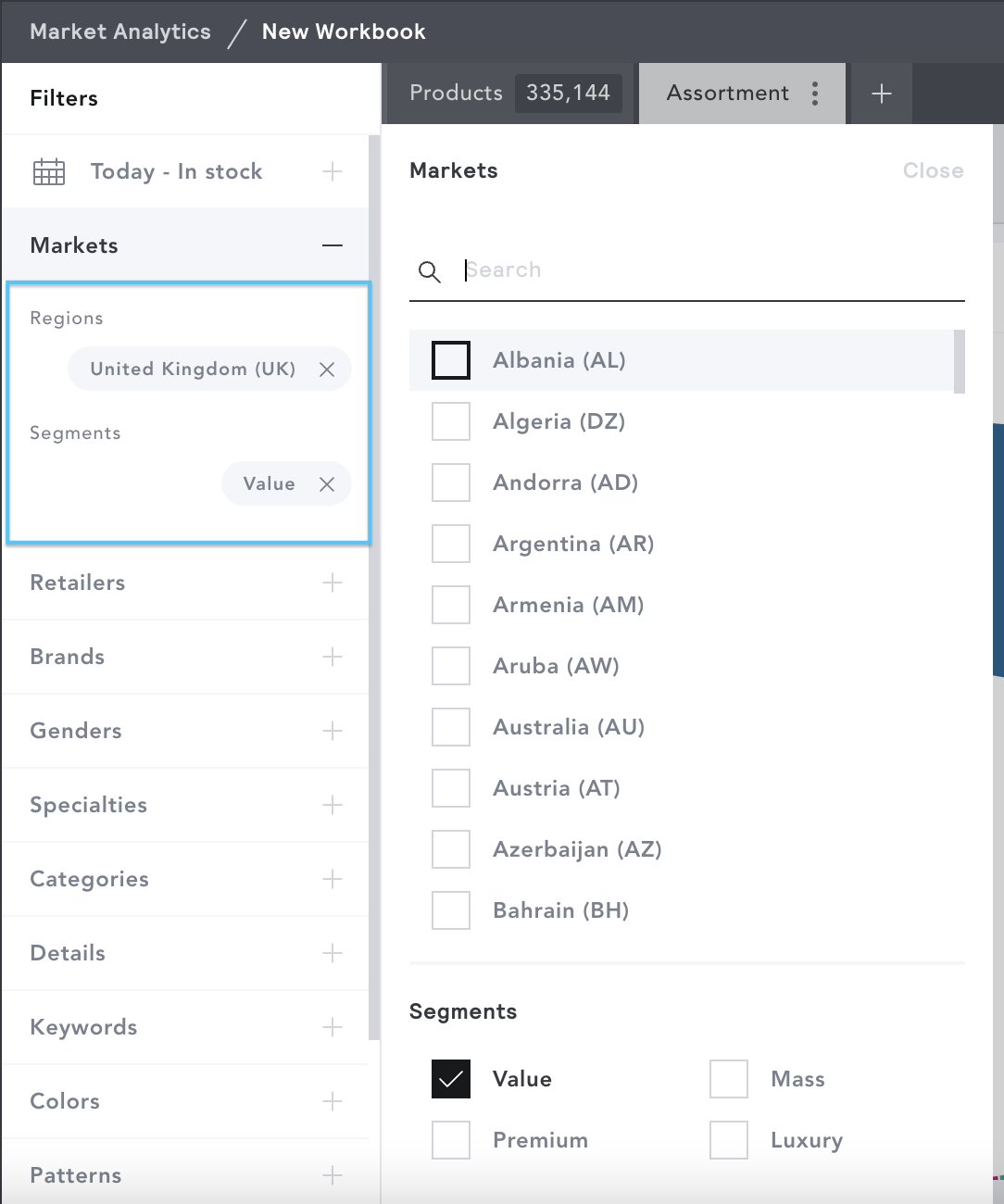
- Selected regions and segments will appear in the filter panel. To remove a region or segment , click the 'x' next to its name.
Market Segment Terminology
EDITED classifies retailers under a specific segment by taking into account their assortment size and average price point within their home region.
For the below examples, we’ll look at US retailers selling Women’s apparel, but these numbers will vary regionally when analyzing retailers in a different home market.
- Value - Large assortment size, but paired with a lower average price point than a mass retailer.
Example - Forever 21 (US). Assortment: 2,917 products. Price point average: $20.64. - Mass - Very Large assortment size with an average price point coinciding with the depth of available products.
Example - Macy’s (US). Assortment: 10,740 products. Price Point: $74.57. - Premium - Smaller assortment size than value, but larger assortment size than Luxury. Higher price point average than Value, but lower average than Luxury.
Example - Madewell (US). Assortment: 412 products. Price point average: $74.60. - Luxury - Smaller assortment size than a premium retailer, but a higher average price point. Example - Gucci (US). Assortment: 106 products. Price point average: $2,517.95.
Any Regions or Market Segment filters applied will result in the Retailers filter updating to only show retailers that fall within those selections.