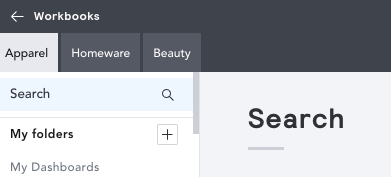
If you have access to more than one vertical, you'll need to run analysis in one vertical at a time. For example, I may create an analysis looking at my Homeware competitors, then run the same analysis for Beauty competitors. It's not possible to combine Home and Beauty analysis in one workbook.
To switch between verticals, head to your Market workbook homepage. Just above your folder search, if you have access to more than one vertical, you can toggle between these by simply selecting the vertical you need to run your analysis in: